For parents, caregivers and their kids

Watch their effort bloom

Make routines something your child looks forward to. Bloom breaks mornings, bedtimes and homework into small steps, rewards every one with a gem, and lets your child grow a garden with what they earn.

Scan with your iPhone or iPad camera to get Bloom
Download on the App Store

Free to download · No account · No ads

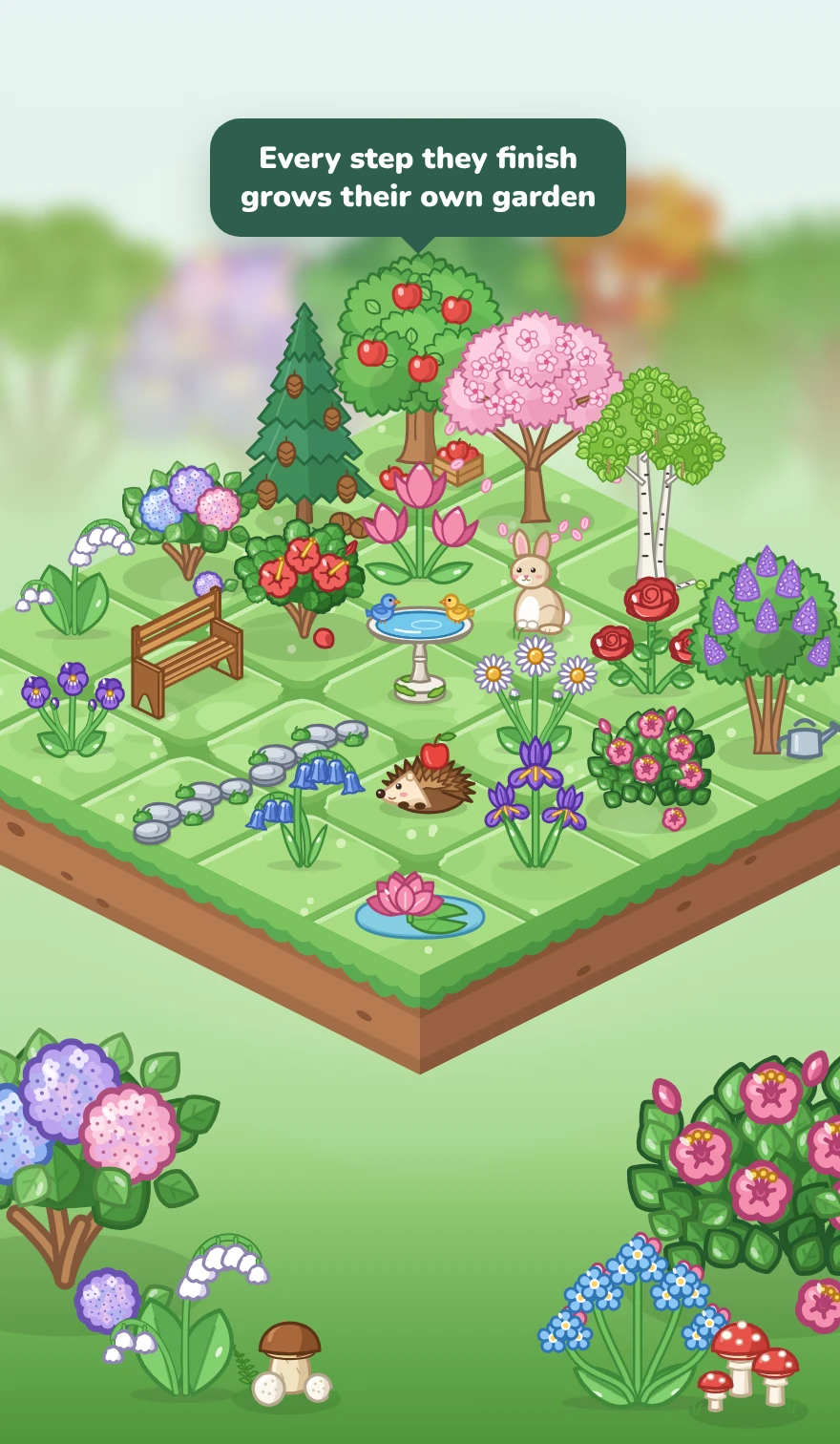
A child's garden in Bloom: an apple tree, a cherry blossom, tulips, a bench and a bunny on a grassy plate, with the words “Every step they finish grows their own garden”.

How it works

A reward that arrives in seconds, not days

Do a step, earn a gem, grow the garden. Every finished step gives your child something to see right away.

The routine

Big routines, small steps

One step at a time, so your child always knows what comes next. No long list to get lost in: just the step in front of them, its timer and a big Done button.

  • Every step has its own color and icon, so they can see where they are at a glance.
  • A timer they can watch empty turns “five more minutes” into something real.
  • Skipping a step is fine. There are no streaks to break.
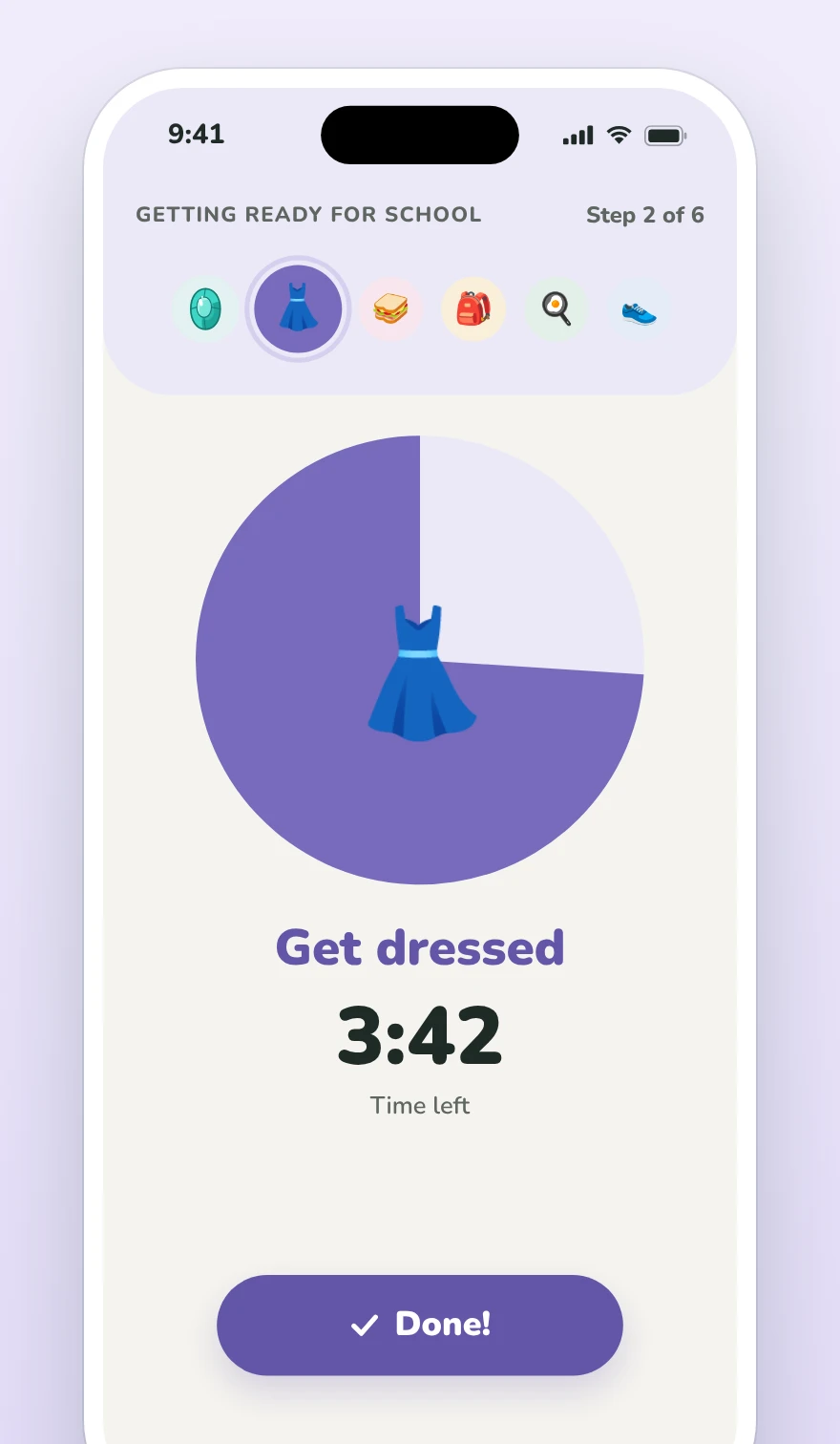
The run screen for “Getting ready for school”, on step 2 of 6: “Get dressed”, with a pie timer showing 3:42 left and a Done button.

The reward

Every step earns a gem

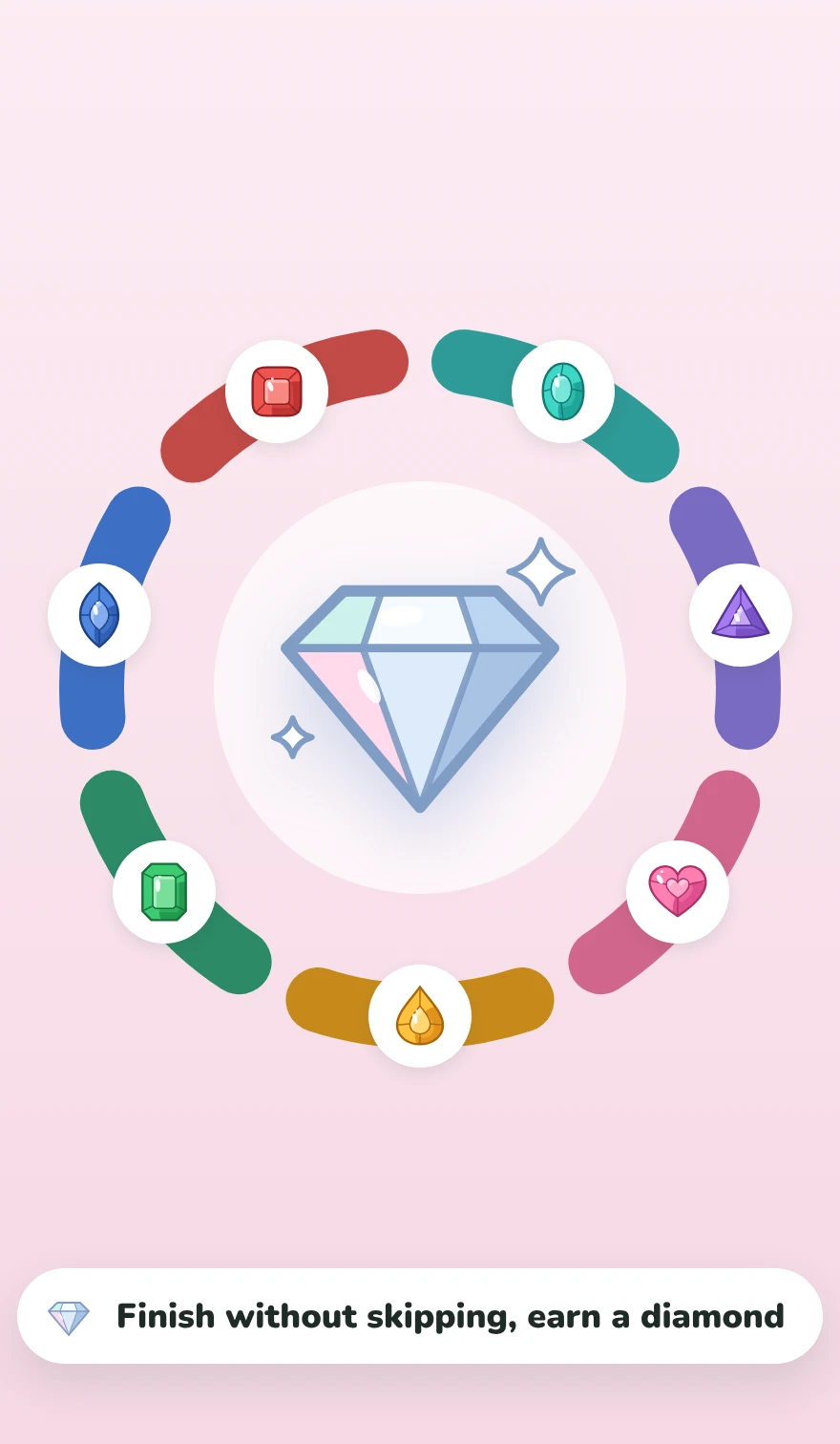
Seven kinds to collect, ready to spend in the garden. The gem arrives the moment a step is done, not at the end of the routine or the end of the week.

  • Finish without skipping, and a diamond drops into the middle of the ring.
  • Every gem collects in a jar your child can see grow.
  • Gems never expire, and a timer never changes what a step earns.
A ring of seven colored gems, ruby, aquamarine, amethyst, rose, topaz, emerald and sapphire, around a diamond, with “Finish without skipping, earn a diamond”.

For parents

Build routines that fit your child

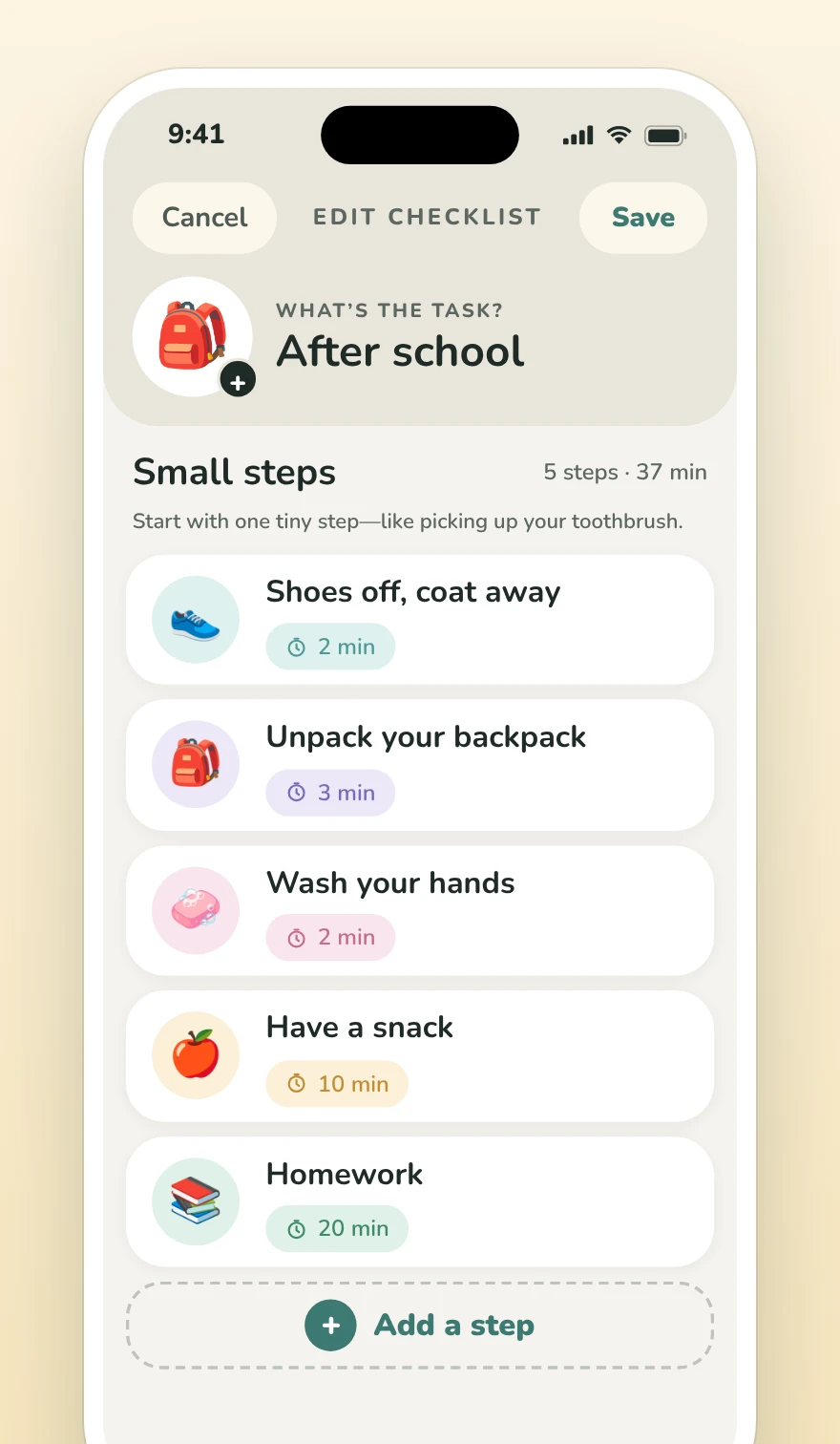
Choose the steps, pick the icons, add an optional timer. Setting up a checklist takes a couple of minutes, and smaller steps mean more gems to earn.

  • Start with one tiny step, like picking up the toothbrush.
  • Add a weekly reminder to any checklist.
  • A profile for everyone, each with its own checklists, gems and garden.
Editing an “After school” checklist with five steps and their timers: shoes off, unpack your backpack, wash your hands, have a snack and homework.

The garden

Your child chooses what to grow

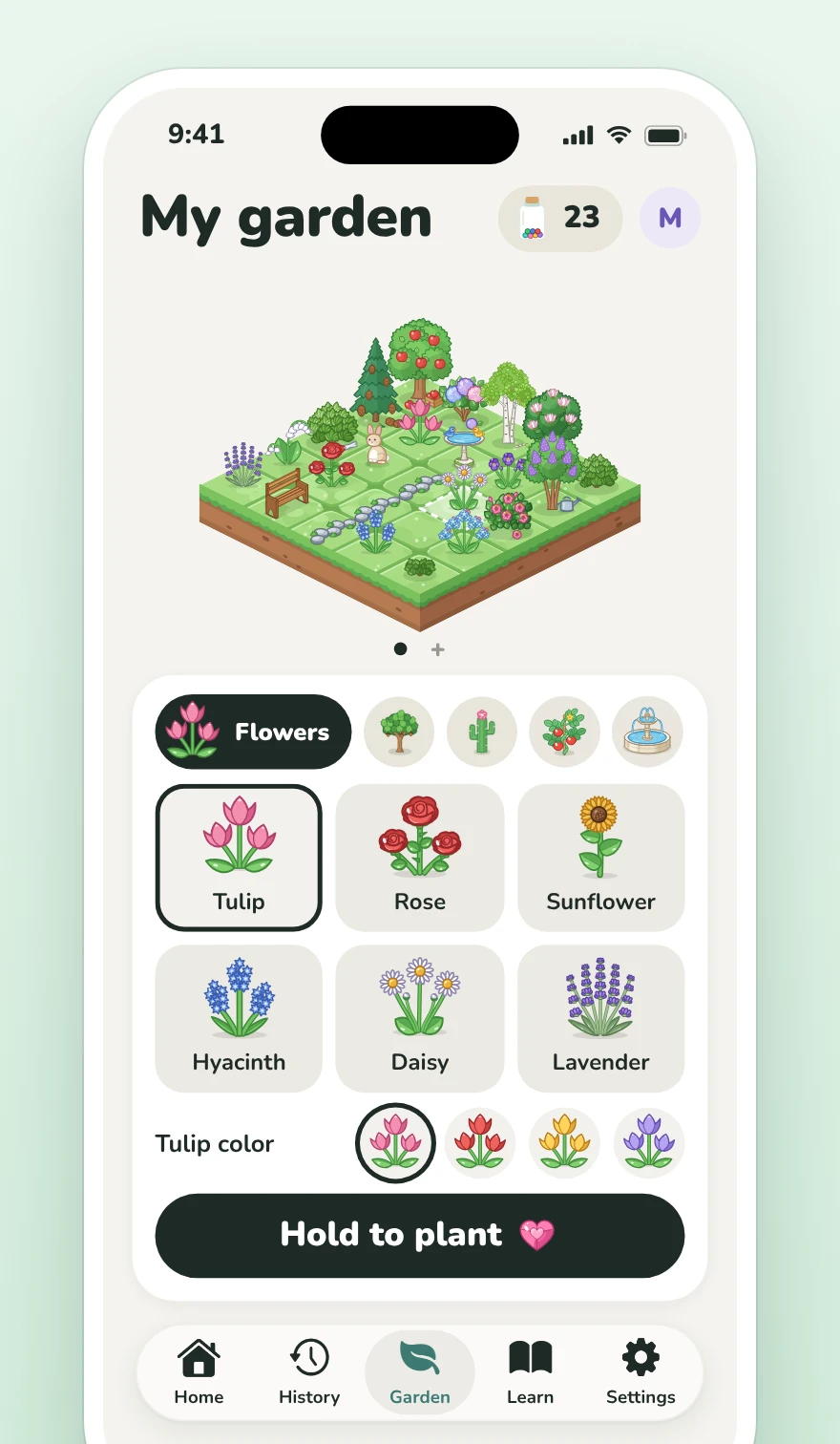
Make it your own: pick a spot, pick a plant or decoration. Then spend gems to grow each plant from sprout to full bloom, one gem and one stage at a time.

  • Flowers, trees, fruit, veggies and decorations, in the colors your child picks.
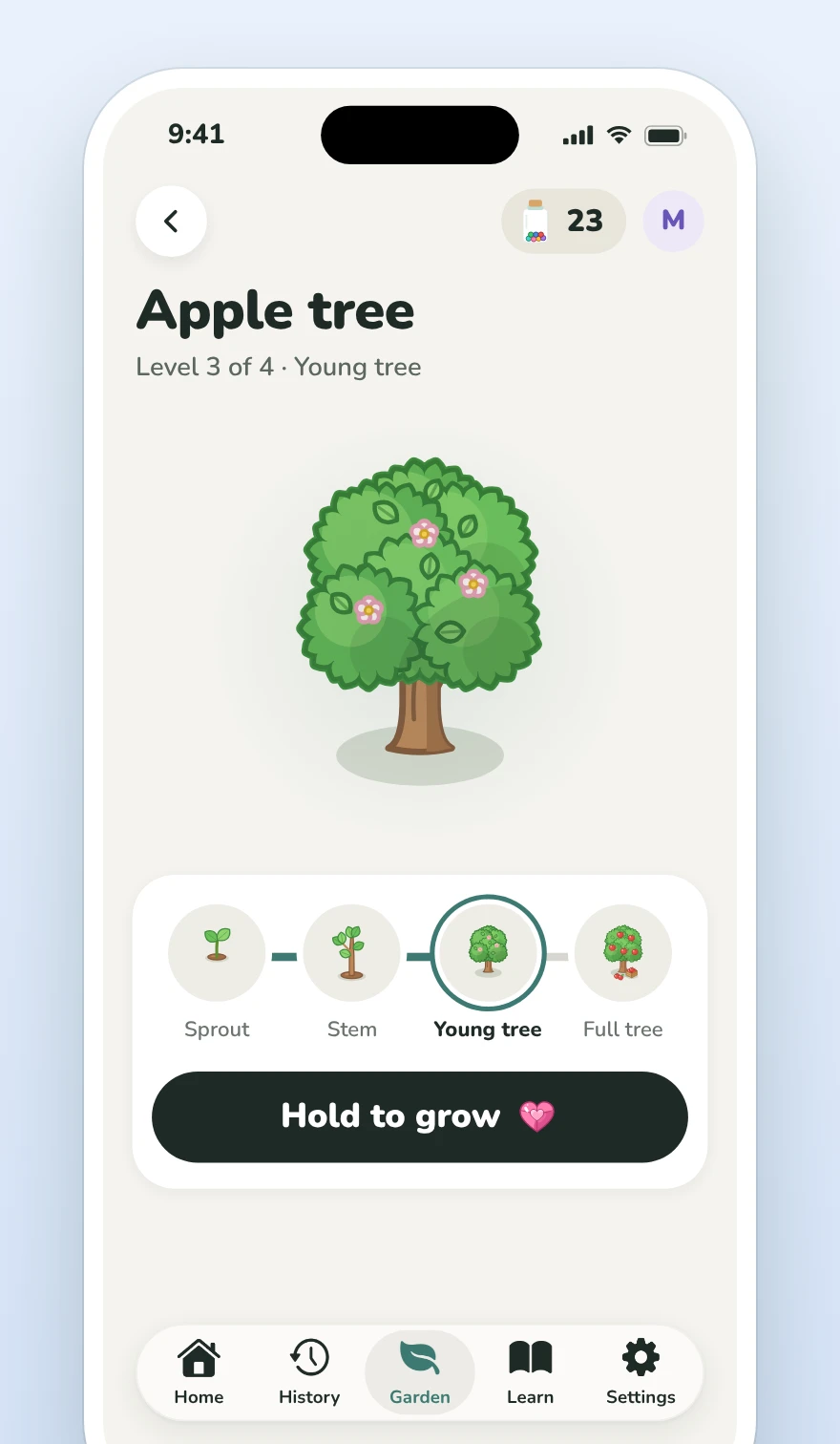
  • One gem plants a seed, and each of the three stages after it costs one more: four gems to full bloom.
  • Every spend waits for a held press, and nothing planted ever wilts or resets.
The garden screen with the flower picker open: tulip, rose, sunflower, hyacinth, daisy and lavender, a tulip color row and a “Hold to plant” button.
An apple tree at level 3 of 4, a young tree, with its four stages from sprout to full tree and a “Hold to grow” button.

Gardens to discover

So many gardens to grow

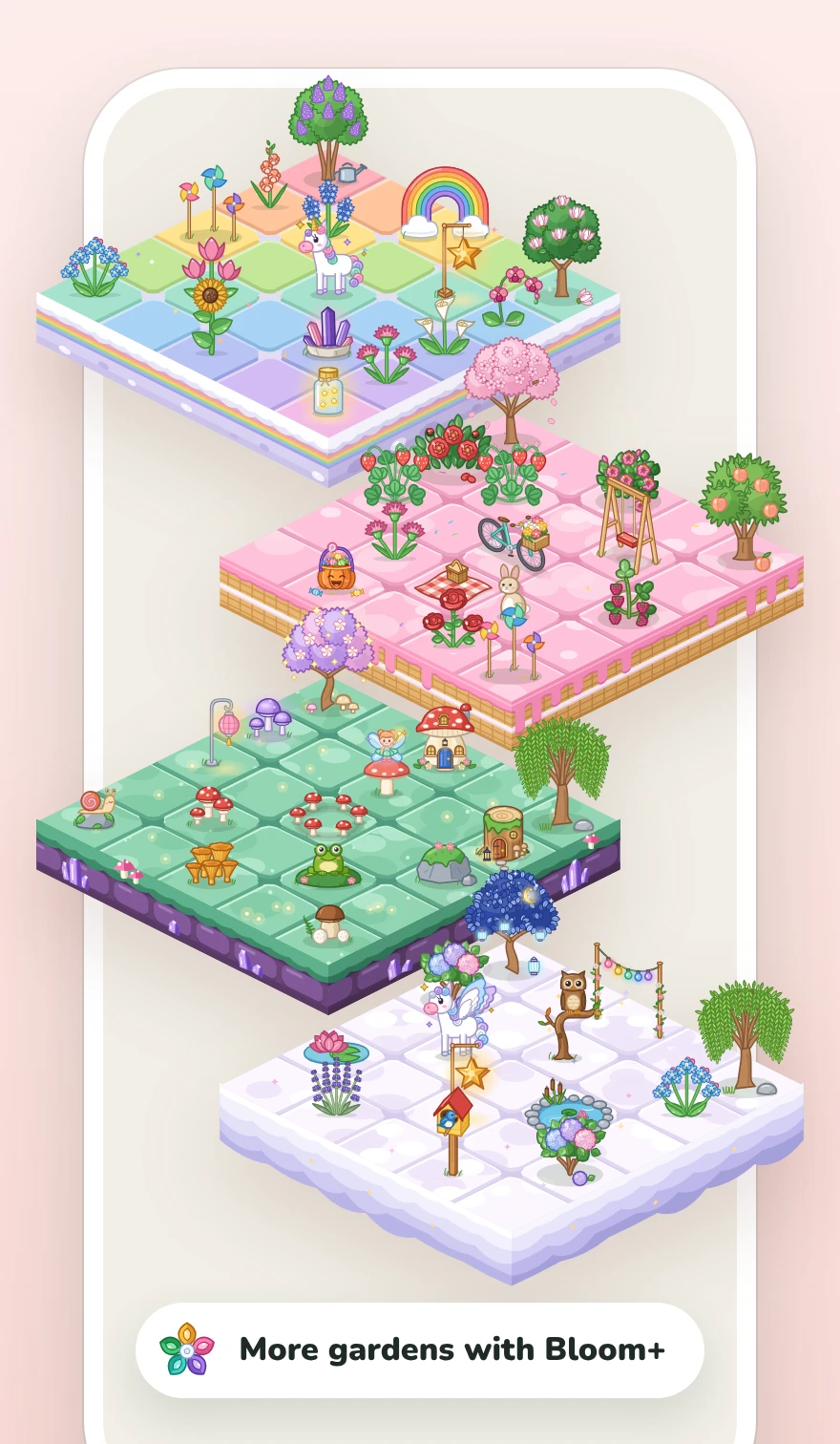
From rainbow hills to candy lands, grow the magical garden of their dreams. Start a new garden whenever they like; there is no need to fill the last one first.

  • Twelve garden styles, from spring, the beach and the mountains to fairyland and cloudland.
  • Every plant and decoration can go in every garden.
More gardens with Bloom+
Four gardens stacked one above another: a rainbow garden with a unicorn, a candyland garden, a fairyland garden and a snowy winter garden.

Learning Moments

Short reads, just for you

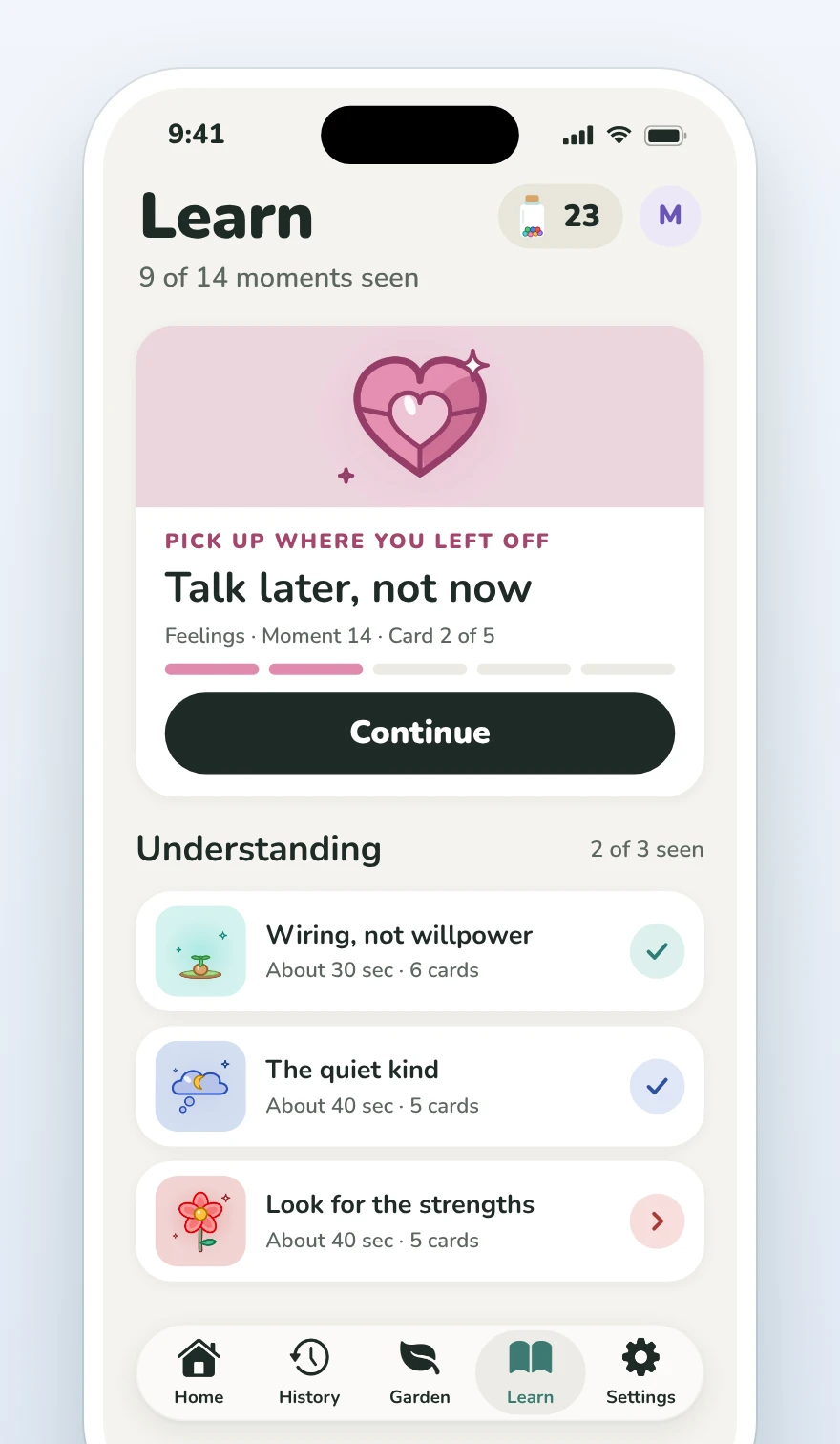
Bite-size learning moments for parents and caregivers, ready when you are. Practical ideas on routines, big feelings and understanding your child, a few cards at a time.

  • Each one takes less than a minute to read.
  • Pick up right where you left off.
The Learn tab: “Talk later, not now” ready to continue at card 2 of 5, and an Understanding section with “Wiring, not willpower”, “The quiet kind” and “Look for the strengths”.

Also inside

Made for small hands and busy mornings

  • History you can look back on

    See every run: when it happened, which steps were done or skipped, and the gems it earned.

  • Easy to read and reach

    Large type and big buttons at the bottom of the screen, with Dynamic Type and VoiceOver support.

  • From kids to adults

    Grown-ups use Bloom for their own routines too: getting ready, winding down, starting work.

Private by design

Your family's routines are nobody else's business

We don't collect your data, so there is nothing to sell, share or leak. Read the privacy policy; it's short.

  • No account

    Nothing to sign up for. Open Bloom and start.

  • Stays on your device

    Profiles, checklists, history and gardens are saved on your iPhone or iPad and never sent to us.

  • No ads, no tracking

    No advertising, no analytics and no third-party SDKs.

Free and Bloom+

The rewards are always free

A child gets the same gem for every step either way. Bloom+ is for the garden that keeps on growing.

Bloom

Free

  • Unlimited checklists and runs
  • Gems, diamonds and the gem jar
  • History and Learning Moments
  • Unlimited profiles
  • A garden with a starter set of plants and decorations

Bloom+

Monthly or yearly, with a 7-day free trial on yearly

  • Unlimited gardens for every profile
  • All twelve garden styles, from rainbow hills to candy lands
  • Over 90 plants and 70 decorations, and every new one as it is added
  • One subscription for every profile, with Family Sharing

Start with one small step

Bloom is free on iPhone and iPad. Set up your first checklist in a couple of minutes.

Scan with your iPhone or iPad camera to get Bloom
Download on the App Store